Warehouse checks, sellers and the finds worth ordering
What Tigbuy’s arrival check can and cannot tell you, how to judge a seller and an item, and the mistakes that show up only at the delivery request.
What Tigbuy’s arrival check is for
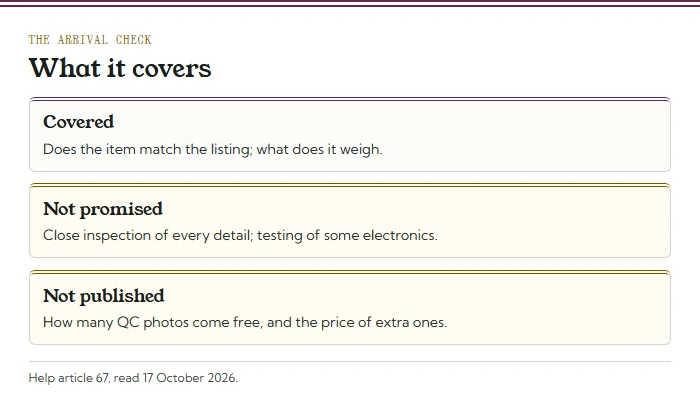
Tigbuy checks each item when it reaches the warehouse to see that it matches the listing, and weighs it. Help article 67 calls it a general check, not a close inspection, and warns that some electronic items may not be tested at all.
For the menu, the weight is the part that matters most. It is the figure your parcel will be billed from, step by step, and the one that decides whether a line’s ceiling is still in reach. Tigbuy does not publish how many QC photos come free or what extra photos cost, so ask before relying on them.
The weight is also the one figure from the arrival check you can act on straight away. If an item weighs more than you expected, the seven-day return window is still open while you decide whether it is worth its steps or should wait for a later parcel.
The seven-day policy is a request window, not blanket approval. Tigbuy lists exclusions including altered goods, missing parts, opened media and missing purchase proof. Ask support to confirm the seller’s conditions and return postage before sending an item back.
How to check the QC photos before a parcel goes
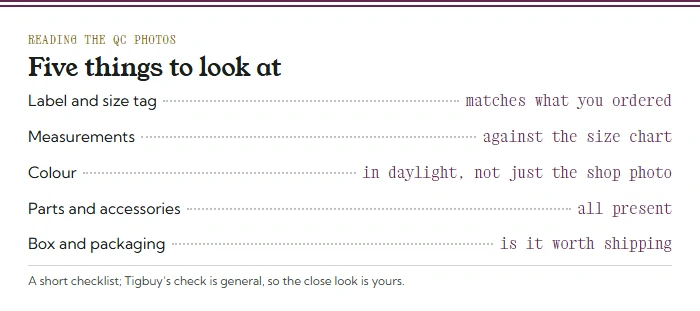
If you get QC photos, read them with the parcel in mind. Check that the size tag and label match what you ordered, compare any measurements with the shop’s size chart, look at the colour in the photo taken in the warehouse rather than in the shop’s own pictures, and count the parts and accessories.
Then look at the packaging. A rigid box adds weight and size; on a size-billed line it can change the billed weight, and on the US line it eats into a ceiling of 4,999 g. If something is wrong, raise it within the seven-day return window that starts when the item arrives.
Ask a QC question that can be answered from a photograph
If a label is unreadable, request a clear label image. If a garment’s length is uncertain, specify where the measurement should start and end. If a set appears short, ask for all pieces in one view. Those requests are more useful than asking whether an item is high quality. Standard QC shows visible features, not authenticity or complete performance.
Compare the response with the saved listing and raise an eligible return or exchange before submitting the parcel. Check the relevant deadline even if you intend to store the item longer. Once the product decision is settled, choose a suitable shipping menu and packing. Retain the order reference and images so a later delivery issue can be distinguished from something already visible at the warehouse.
Choosing a seller before you paste the link
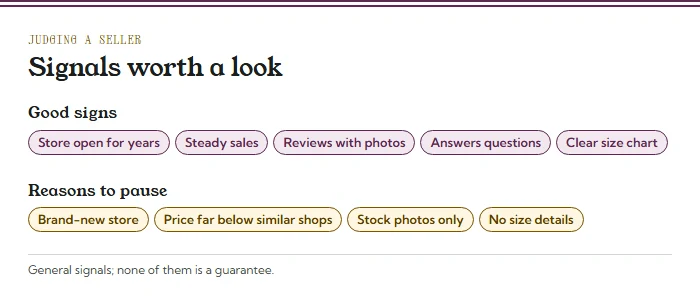
Choosing a seller is the step that saves the most trouble later. Good signs are a shop that has been open for a while, steady sales of the item, reviews with buyers’ own photos, a clear size chart and quick answers to questions. Reasons to pause are a brand-new shop, a price far below similar listings, stock photos only and no size details.
Sellers also affect the parcel. Several items from one seller, submitted together, can share domestic shipping (help article 62), and a seller who packs in heavy outer boxes adds weight you will pay to send.
Choosing an item that suits your menu
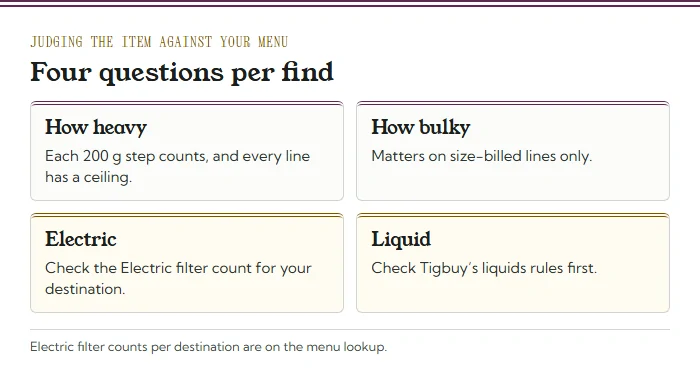
Deciding what to buy usually starts with fit, fabric and price. Add four questions about the parcel. How heavy is it, given 200 g steps and a ceiling? How bulky is it, if your menu has a size-billed line? Is anything in it electric, and how many lines does the Electric filter keep for your address? Is it a liquid, a paste or a powder, which Tigbuy treats separately (help article 60)?
None of those rules an item out on its own. They tell you which items to group, which to send later, and which to ask about before buying.
A workable habit is to group by those answers: light, flat things together; bulky things alone or later; anything electric or liquid only after checking.
Mistakes worth avoiding before you pay
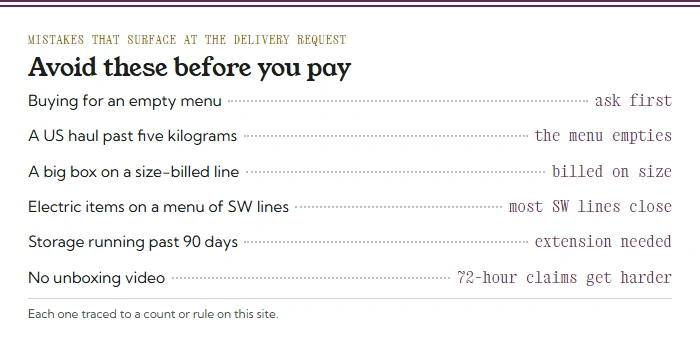
Most shipping surprises at Tigbuy are visible before you order, if you look. Buying for an address with an empty menu leaves you asking afterwards. A US haul that drifts past five kilograms has no line at all. A large light box on a size-billed line is billed on the box. A parcel of gadgets to a European address loses most SW lines to the Electric filter.
Two more come later: letting storage run past 90 days without extending it, and opening the parcel without filming it, which makes a damage or missing-item report within the 72-hour window much harder to support.