Shop categories in the Tigbuy Spreadsheet, grouped by what you are buying
Browse by category, then check what your destination’s menu means for that kind of item before you order.
Picture shelves for the main categories
Every card opens that category in the catalogue, where each entry carries photos and a shop link you can paste into Tigbuy. The notes under each card say what the category tends to mean for a parcel: flat and light, dense, or bulky in a box.
 HatsKnits, caps and bucket hats: light, and they flatten.
 T-shirtsPlain, graphic and long-sleeve tees; easy weight to predict.
 JewelleryRings, chains and bracelets: grams, not kilograms.
 WomenswearA search for women, so mixed results: check each entry.
 HoodiesHoodies and fleece tops; weight climbs quickly with heavy cotton.
 SweatpantsJoggers and wide-leg sweatpants; moderate weight, little bulk.
 JeansHeavy for their size: a pair can be a step or two on its own.
 OuterwearLight but bulky: the category where box size matters most.
 SneakersCompare the size chart and sole measurements.
 Sports jerseysConfirm team, season, size and any personalisation.
 BagsCheck dimensions, straps and included pieces.
 BeltsCheck usable length and buckle dimensions.
 EyewearConfirm frame width, lenses and included case.
 PerfumeConfirm liquid acceptance before paying.
 WatchesCheck case size, movement and battery restrictions.
 ElectronicsConfirm model, voltage, battery and route acceptance.
Product checks beyond clothing
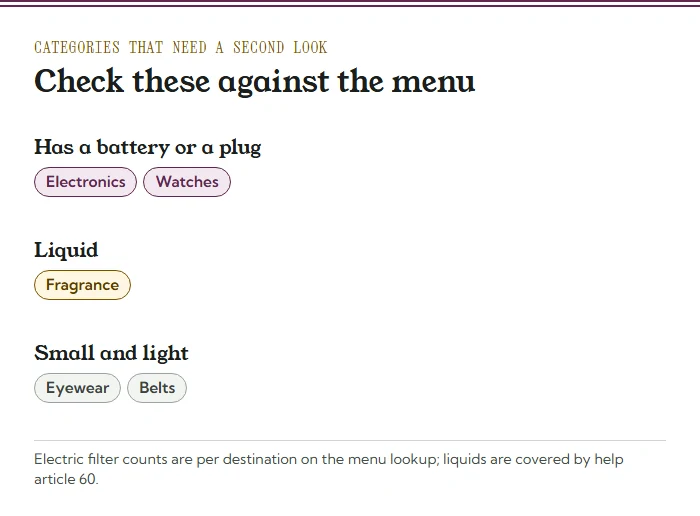
Check these product details before buying. Batteries, liquids and fragile materials can change the available shipping options; the agent’s current acceptance rules apply to the actual item.
- Electronics: anything with a battery or plug; check the Electric filter count for your destination first.
- Watches: many have batteries, so the Electric filter applies here too.
- Fragrance: a liquid, so read Tigbuy’s liquids rules before ordering.
- Eyewear: light and small; cases add a little bulk.
- Belts: light, but buckles add weight quickly.
- Team shirts: football, basketball and rugby shirts in light synthetic fabric that folds thin.
- Bags and totes: totes fold flat; structured bags keep their shape and take room on size-billed lines.
How to browse by category with the menu in mind
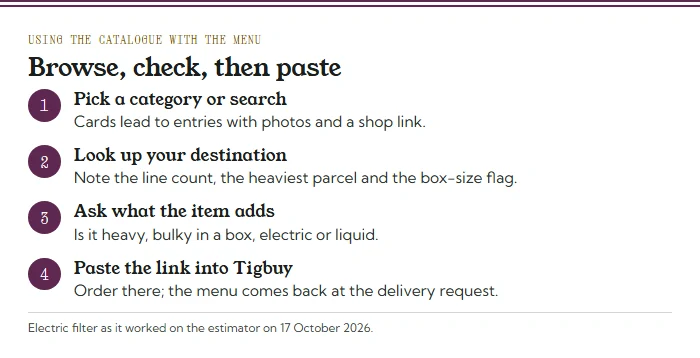
Start where you would anyway: pick a category or search for the thing you want. Before you open Tigbuy, look up your destination once and write down three things: how many lines it has, the heaviest parcel any of them takes, and whether any of them bills by box size.
Then judge each find against those three. A padded jacket is light but takes a big box, which matters only where a size-billed line is on the menu. A pair of boots in its shoebox is a box inside your box. A power bank is a question for the Electric filter, and a bottle of fragrance is a question for Tigbuy’s liquids rules before anything else.
Reading a catalogue entry before you paste the link
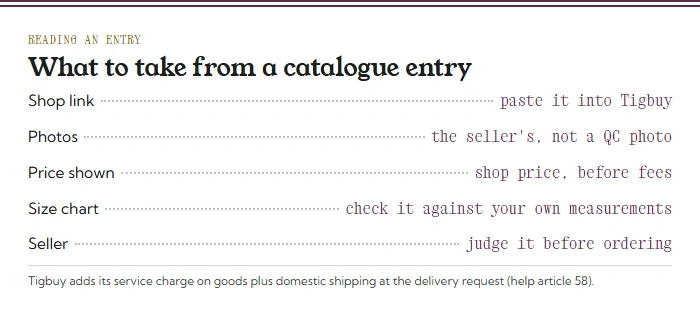
An entry is a pointer, not a promise. The photos come from the shop, the price is the shop’s price before Tigbuy’s charges, and the link is what Tigbuy will buy from. Open the shop page itself, check the size chart and the options, and note the seller.
The price you see is also the starting point of the service charge: Tigbuy’s fees article puts it at a percentage of goods plus domestic shipping, taken when the parcel is submitted. Choosing a seller and choosing an item are covered in more depth on checks and sellers.
A category opens the search; a variant defines the order
Open the original seller page and select size, colour and quantity before relying on the price. Check material, measurements and what is included in a set. A category picture is a browsing example, and identical photos can be used for different versions. Save the seller link and selected wording so the agent’s purchase summary can be checked against them.
The destination menu helps investigate onward options, but it does not buy the item or confirm stock. Before paying for something unusual, ask whether Tigbuy accepts the actual product and whether it has an appropriate route to your address. Later, use the real parcel’s contents and dimensions. A line present in a dated sample is a lead for checking, not approval of any future basket.
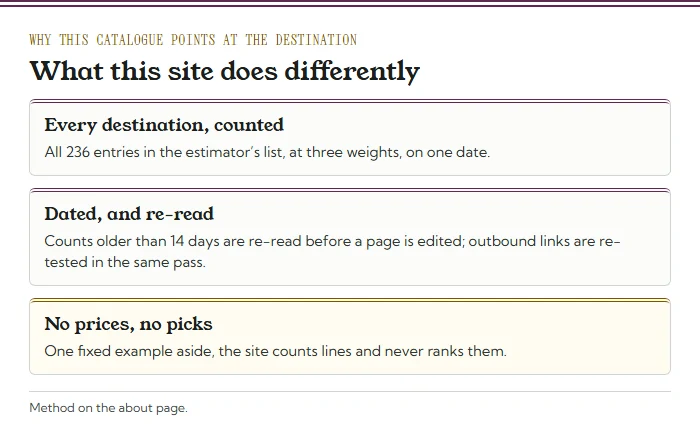
Why this spreadsheet starts from your address
Plenty of finds lists stop at the product. This one adds the step that most often surprises a first-time Tigbuy buyer: discovering at the delivery request that the address has one line, or none, or a line that bills the box rather than the goods.
The counts behind it are dated and re-read: when a count is older than 14 days it is checked again before any page is edited, and the outbound links are tested for dead links in the same pass. The method, and what changed since the last pass, is on the about page.
Two numbers explain why this matters. Of the 156 destinations that get any quote, 124 get exactly one line, so for most readers the shipping choice is made before they start. And 80 entries in Tigbuy’s list get no quote at all, which is worth knowing before a single item is bought.